
Agentic AI Coding Assistants: How They Actually Work
A normal autocomplete tool suggests the next line. An agentic AI coding assistant does something fundamentally different: it takes a goal, makes a plan, runs commands, reads the results, and keeps going until the task is finished. That shift from suggestion to action is what the word agentic actually means, and it changes where these tools fit in a real development workflow.
This guide explains how an agentic AI coding assistant works under the hood: the building blocks, the agent loop, tool use, planning, memory, verification, and the failure modes you need to guard against. If you want to compare specific products instead, see our ranking of the best ai coding agents. Here the focus is the machinery that every agentic ai coding assistant shares.
What Makes an AI Coding Assistant Agentic
The difference between a normal assistant and an agentic ai coding assistant is autonomy across multiple steps. A traditional assistant answers one prompt at a time and stops. An agentic ai coding assistant is handed an objective, such as fix this failing test, and it decides the intermediate steps itself: read the relevant file, run the test, inspect the error, edit the code, and run the test again. It repeats this until the goal is met or it decides it cannot continue.
That autonomy comes from wrapping a language model in a control loop with access to tools. The model supplies the reasoning; the loop and the tools are what allow an agentic ai coding assistant to act on a codebase rather than merely describe what to do. Strip away the tools and you are back to a chat window. Add them, and you have an autonomous coding agent that can change files, run builds, and respond to what it finds.
From Autocomplete to Agentic Assistants
It helps to see the progression. The first wave of AI coding tools was inline autocomplete: given the current file, predict the next few lines. The second wave added chat, so you could ask questions about your code and paste in snippets. The third wave, agentic ai coding tools, closes the loop between thinking and doing.
Each wave added a capability the previous one lacked. Autocomplete had no understanding of intent. Chat understood intent but could not act. An agentic ai coding assistant understands intent, acts on it, and checks the outcome. This is why the same underlying model can feel dramatically more capable inside an agent harness than inside a plain chat box: the harness gives it hands and feedback, not just a voice.
The Building Blocks of an Agentic AI Coding Assistant
Every agentic ai coding assistant is assembled from four parts. The model is the reasoning engine that decides what to do next. The tools are the actions it can take, such as reading files, running commands, or searching the repository. The orchestrator is the loop that calls the model, executes its chosen tool, and feeds the result back. And the context store is the working memory that holds the goal, the history of actions, and relevant pieces of the codebase.
Change any one of these and the behavior changes. A stronger model plans better. A richer tool set lets the assistant do more. A smarter orchestrator recovers from errors instead of looping forever. And better context management keeps the agent focused on what matters instead of drowning in irrelevant files. Understanding these four parts is the fastest way to reason about why one agentic ai coding assistant outperforms another.
The Agent Loop: Plan, Act, Observe, Repeat
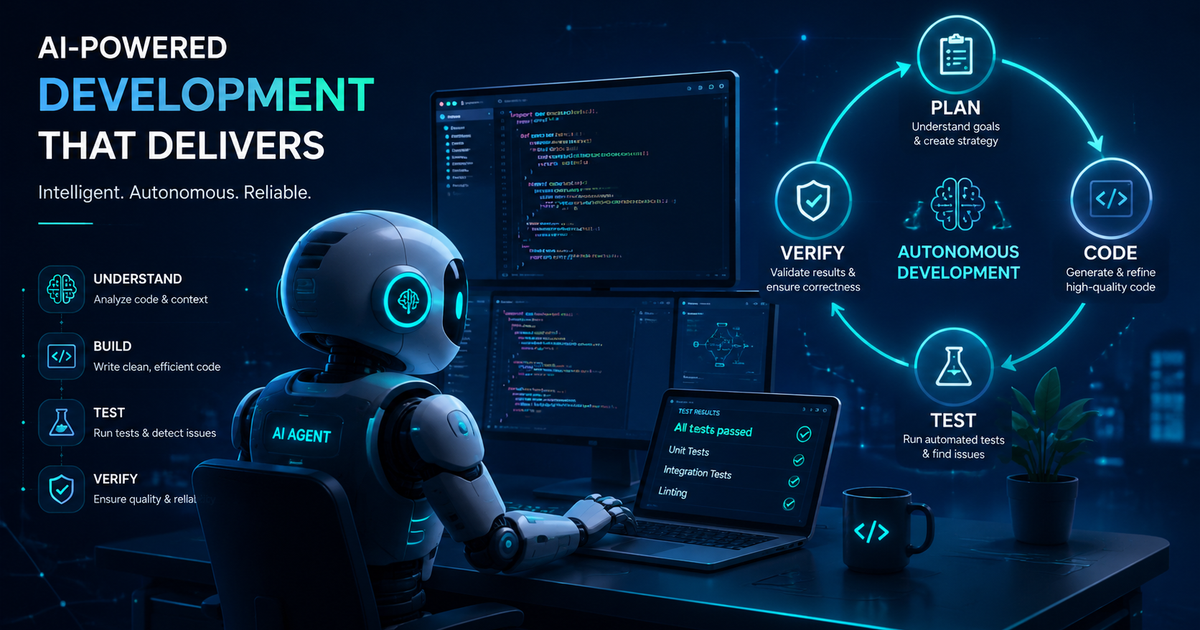
At the core of every agentic ai coding assistant is a reasoning and acting loop, frequently called ReAct. The assistant reasons about what to do, takes an action through a tool, observes the result, and feeds that observation into the next round of reasoning.
while not done:
    thought = model.reason(goal, history)   # plan the next step
    action = thought.choose_tool()           # e.g. run_tests, edit_file
    result = tools.run(action)               # act on the codebase
    history.append(result)                   # observe
    done = model.is_goal_met(goal, history)
This loop is the reason an agentic ai coding assistant can recover from its own mistakes. When a test fails, the failure becomes the next observation, and the model adjusts its plan. A one-shot assistant cannot do this because it never sees the consequence of its output. The loop turns a single guess into an iterative search for a working solution.
Tool Use: How the Assistant Touches Your Codebase
An agentic ai coding assistant is only as capable as the tools it can call. The model never edits files directly; it emits a structured request to use a tool, and the surrounding system executes that request and returns the result.
{
  "tool": "run_command",
  "args": { "cmd": "pytest tests/test_auth.py" }
}
Typical tools include reading and writing files, running shell commands, searching the codebase, fetching documentation, and invoking a test runner. The richer and safer the tool set, the more an agentic ai coding assistant can accomplish without a human in the loop. This is also where guardrails matter most, because a tool that can run arbitrary commands is both the source of the assistant power and its biggest risk.
Planning and Task Decomposition
For anything beyond a trivial change, an agentic ai coding assistant plans before it acts. It breaks a vague goal like add rate limiting into ordered subtasks: locate the request handler, add a limiter, write a test, run the suite, and confirm the limit triggers. Explicit planning keeps the agent from wandering and makes its work reviewable by a human.
Some assistants plan once up front and then execute the plan. Others replan after every observation. Replanning is more robust because real codebases surprise the agent in ways a fixed plan cannot anticipate, and an agentic ai coding assistant that updates its plan as it learns handles those surprises far better than one following a rigid script.
Context and Memory Management
A model can only attend to a limited window of text at once, so a capable agentic ai coding assistant manages context carefully. It decides which files, errors, and prior steps to keep in view and which to summarize or drop. Without this discipline the agent fills its window with noise and loses track of the goal.
Good context management is often the difference between an agent that solves a multi-file task and one that gets confused after a few steps. Techniques include retrieving only the relevant code, summarizing long histories, and pinning the original objective so it is never crowded out. Treat context as a scarce resource, because for an agentic ai coding assistant it is the most scarce resource of all.
Verification: How Agentic Assistants Check Their Own Work
The feature that separates a useful agentic ai coding assistant from a dangerous one is verification. After making a change, a strong assistant runs the tests, checks the build, or reruns the failing command to confirm the goal is genuinely met rather than assuming success.
Without verification, an autonomous coding agent will confidently report that it fixed code that does not even compile. With verification, the agent closes the loop on real evidence before declaring victory. This is why test coverage and a reliable build matter so much when you let an agentic ai coding assistant work with limited supervision: they are the signal the agent uses to know whether it is actually done.
Multi-Agent Architectures
Some systems split the work across several cooperating autonomous agents. A planner agent decomposes the task, worker agents implement individual pieces, and a reviewer agent checks the combined result. This multi-agent shape can make an agentic ai coding assistant more reliable on large tasks, at the cost of more coordination overhead and more token usage.
Multi-agent setups are not always better. For most everyday work a single, well-designed agent loop with good tools and verification is enough, and it is easier to debug. Reach for multiple autonomous agents when a task is genuinely large or naturally splits into independent pieces, not by default.
How Agentic Loops Work in 2026: Tool Use, Planning, and Context Management
The plan, act, observe cycle described above is still the backbone of how ai coding agents work, but three things changed in 2026. First, context windows grew large enough that a single agent can hold many files at once, so a Claude Code style tool reads an entire module before it edits instead of guessing from a snippet. Second, planning shifted from a one-shot list to continuous replanning, where the agent revises its next step after every tool result. Third, the strongest harnesses now spawn parallel subagents: a coordinator hands independent subtasks, such as writing a test and refactoring a function, to separate agent loops that run at the same time and report back.
Under the hood this is an orchestration problem more than a model problem. The coordinator has to route work, merge results, and stop subagents that stall, which is why the agentic AI architecture around the model often decides whether a tool call succeeds. A stronger model helps, but the harness that manages tools, context, and subagents usually matters more on real multi-file work.
Agentic Coding Tools in 2026: SWE-bench Benchmarks at a Glance
If you want a rough sense of how the leading agentic coding tools compare, benchmarks are the closest thing to a shared yardstick. SWE-bench Verified measures whether an agent can resolve real GitHub issues end to end, and Terminal-Bench 2.1 measures agentic command-line work. The table below is a mid-2026 snapshot of the default model behind each harness.
Tool (default model)          SWE-bench Verified   Terminal-Bench 2.1
Claude Code (Claude Opus 5)   88.6% (Opus 4.8)     89.1% (max effort)
Codex CLI (GPT-5.6 Sol)       88.7% (GPT-5.5)      89.5% (xhigh effort)
Cursor Agent (hosted models)  runs frontier models no standalone entry
Devin Desktop (proprietary)   not on public board  not on public board
OpenCode (bring-your-own)     inherits model score inherits model score

Frontier models: Mythos 5 95.5% and Fable 5 95.0% on SWE-bench Verified.
These figures come from the public SWE-bench Verified leaderboard and Terminal-Bench results, last updated in late May 2026; scores move as new models ship, so treat them as a snapshot. For current pricing and a hands-on ranking of these tools, see our best AI coding agents guide, and for reviewing the diffs an agent produces, our AI code review tools comparison.
Common Failure Modes and Guardrails
Knowing how an agentic ai coding assistant fails is as important as knowing how it works. The most common failure is hallucinated success, where the agent claims a task is done without verifying it. The fix is mandatory verification before the agent is allowed to report completion.
A second failure is the runaway loop, where the agent repeats the same failing action. Step limits and loop detection contain it. A third is destructive commands, where an autonomous coding agent runs something irreversible. Sandboxing, dry-run modes, and approval prompts for risky tools are the standard guardrails. A fourth is cost: every step of an agentic ai coding assistant consumes tokens, so unbounded loops get expensive fast, which is another reason step limits matter. Treat these guardrails as part of the system, not optional extras.
Agentic AI Coding Assistant vs a Traditional Assistant
A traditional assistant is reactive and stateless: you prompt, it answers, and it forgets. An agentic ai coding assistant is proactive and stateful: it holds a goal, takes multiple actions, remembers what it tried, and adapts. The traditional assistant is excellent for quick questions and small snippets. The agentic one earns its keep on multi-step tasks where the cost of context switching for a human is high.
The tradeoff is control. With a traditional assistant you review every line before it lands. With an agentic ai coding assistant you delegate a chunk of work and review the outcome, which is faster but demands trust, good tests, and guardrails. Choosing between them is really a question of how much autonomy a given task can safely absorb.
Where Agentic AI Coding Assistants Fit
An agentic ai coding assistant shines on well-scoped, verifiable tasks: fixing a failing test, migrating an API, upgrading a dependency, or adding a small feature with clear acceptance criteria. It struggles on ambiguous, judgment-heavy work where there is no test to confirm success and the definition of done is subjective.
The practical rule is simple. The clearer the goal and the stronger the verification, the more autonomy you can safely hand an agentic ai coding assistant. On fuzzy, design-level problems, keep a human firmly in the loop and use the assistant for the mechanical parts once the direction is decided.
Choosing an Agentic AI Coding Assistant
Once you understand the loop, picking a tool comes down to how well each one plans, uses tools, manages context, and verifies its work on your stack. Raw model quality matters, but the harness around the model often matters more. To compare the actual products on speed, cost, and real-world output, read our ranking of the best ai coding agents, and explore more engineering breakdowns on the Levelop blog.
Frequently asked questions
What is an agentic AI coding assistant?
An agentic ai coding assistant is a tool that takes a goal, plans the steps, uses tools like a shell and file editor to act on your codebase, observes the results, and iterates until the task is done, instead of just suggesting code one prompt at a time.
How is an agentic ai coding assistant different from autocomplete?
Autocomplete predicts the next token or line from the current context. An agentic ai coding assistant runs a multi-step loop with tool use and verification, so it can edit files, run tests, read errors, and fix its own mistakes with limited supervision.
What is the agent loop in an agentic ai coding assistant?
The agent loop is a reason, act, observe cycle, often called ReAct. The assistant reasons about the next step, calls a tool, observes the result, and repeats until the goal is met. The loop is what lets the assistant recover from failures rather than failing on a single bad guess.
Are agentic ai coding assistants safe to run unattended?
They are safest on well-scoped, verifiable tasks with strong tests and tool guardrails. Because an autonomous coding agent can run real commands, you should sandbox it, set step limits, and require verification before trusting its output on important code.
Do agentic ai coding tools replace developers?
No. They automate well-defined, verifiable work and accelerate routine tasks, but they depend on humans to set goals, judge ambiguous tradeoffs, and review outcomes. They shift the developer role toward direction and review rather than typing every line.
Which agentic ai coding assistant is best?
It depends on how well a tool plans, uses tools, manages context, and verifies its work for your stack. Compare current options on performance, pricing, and usability in our ranking of the best ai coding agents.
Which agentic coding tools score highest on SWE-bench in 2026?
As of mid-2026 the leading harnesses cleared 88 percent on SWE-bench Verified: Claude Code with Opus 4.8 at 88.6 percent and Codex CLI with GPT-5.5 at 88.7 percent, while newer frontier models such as Fable 5 reported around 95 percent. Cursor and Devin run hosted frontier models rather than posting standalone agent scores, so compare them on how well their harness plans, uses tools, and verifies work.