
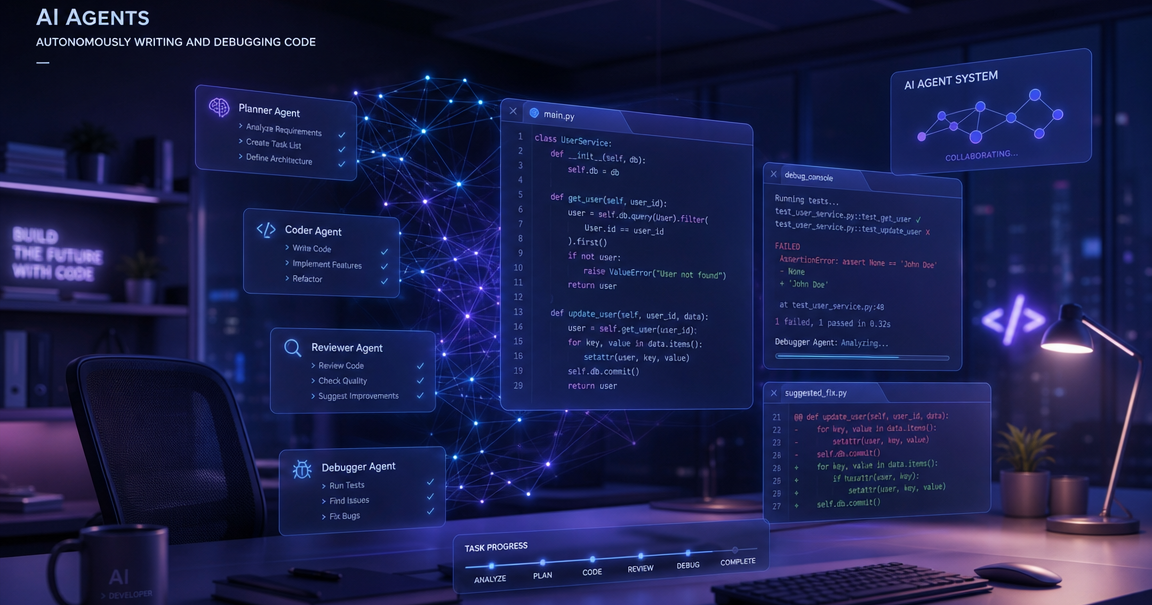
What Are AI Coding Agents? A Developer Guide for 2026
AI coding agents write code, run tests, fix bugs, and submit pull requests on their own. They do not wait for you at each step. You give them a task. They plan the work, edit files across your project, check results, and keep going until the job is done.
These tools mark a big shift in software development. Older AI coding assistants like GitHub Copilot suggest one line at a time. AI coding agents go further. They take full control of the development loop. They read your project context, create a plan, make changes, and verify the output. Think of them as junior developers who never sleep.
If you have used any AI coding tools that suggest code as you type, you have seen the first wave. AI coding agents are the second wave. They move from passive hints to active execution.
How AI Coding Agents Differ from Copilots
The gap between a copilot and an agent matters. It changes how you spend your day.
A copilot waits for you to type. It watches your cursor and guesses the next line. You stay in charge of every decision. You pick which suggestion to accept. The copilot does not know your full project structure. It works within a single file and a small context window.
An AI coding agent takes a different approach. You describe what you want in plain language. The agent breaks the task into steps. It reads files across your codebase. It writes code, runs commands, checks for errors, and loops back to fix problems. You review the final result, not every keystroke.
Here is a practical comparison. Copilots handle code generation at the line level. Agents handle it at the task level. Copilots need constant human guidance. Agents work with minimal human oversight. Copilots operate in a single file context. Agents hold your entire project context across thousands of files.
What Makes an AI Agent Agentic
Not every tool that uses AI counts as an agent. The word "agentic" has a specific meaning in software engineering. An AI coding agent must have these core traits:
- Autonomy: It works without constant input. You set the goal and step back.
- Planning: It breaks large tasks into smaller steps before writing any code.
- Tool use: It can run terminal commands, read files, search the web, and call APIs.
- Memory: It keeps track of what it has done and what still needs doing.
- Self-correction: When something fails, it reads the error, adjusts, and tries again.
These traits separate true autonomous agents from simple auto-complete tools. The best AI coding agents combine all five traits. When they do, they handle tasks that used to take hours.
The Leading AI Coding Agents in 2026
The market for agentic coding tools has exploded. Here are the tools that top developers use daily.
Claude Code
Claude Code is a terminal-based agent. It runs on Claude Opus 4.6 and scores 80.8% on SWE-bench Verified, the highest score on the toughest coding benchmark. Claude Code reads your whole project from the command line. It makes multi-file changes with strong reasoning. Its 1 million token context window means it can hold large codebases at once. It supports agent mode for fully autonomous workflows and uses MCP for tool integration. Learn more about Claude Code
Cursor
Cursor is the leading IDE-based agent with over 1 million users. Its Composer mode lets you edit multiple files at once with a visual interface. Supermaven powers its autocomplete engine. Cursor works best for real time interactive development where you want to see changes as they happen. It also supports agentic capabilities through its agent mode.
GitHub Copilot
GitHub Copilot is the most widely known AI coding tool. About 76% of developers have tried it. Its coding agent launched in 2025 and handles pull requests, issue triage, and multi-step tasks inside GitHub. It works best for teams already deep in the GitHub ecosystem. It assigns tasks through issues and runs in the cloud.
Amazon Q Developer
Amazon Q Developer focuses on enterprise workflows and AWS integration. It handles code generation, transformation, and deployment pipelines. If your stack runs on AWS, Amazon Q understands your infrastructure and writes code that fits it.
OpenCode and Open Source Options
OpenCode is a terminal-based open source agent that works with any LLM provider. It supports Claude, GPT, Gemini, and local models. For developers who want full control or need to run agents offline, open source options like OpenCode provide flexibility without vendor lock-in.
How Agent Workflows Actually Work
Agent workflows follow a pattern called plan-act-observe-reflect. The agent receives your instruction. It analyzes the codebase. It creates a plan. It executes each step. After each action, it checks the result. If something breaks, it adjusts. This loop continues until the task is done.
Here is what a typical agent workflow looks like in practice. You open your terminal. You tell the agent to add input validation to a form component. The agent reads your project structure. It finds the component file and its test file. It adds validation logic. It updates the tests. It runs the test suite. Two tests fail. It reads the errors. It fixes the code. Tests pass. It commits the change and opens a pull request.
This whole process takes minutes. Without the agent, it might take an hour. That is the power of autonomous agents in real world development workflows.
AI Coding Agents vs AI Coding Assistants: A Quick Comparison
The terms get mixed up a lot. AI coding assistants and AI coding agents are not the same thing. Assistants suggest code. Agents execute tasks. Assistants need you in the loop at every step. Agents run on their own until the task is done or they need help.
Most tools today sit somewhere on a spectrum. GitHub Copilot started as an assistant. Now it has agent features. Cursor gives you both assistant mode and agent mode in the same IDE. Claude Code was built as an agent from day one.
The key question: does the tool do things on your behalf, or does it wait for you to do things? If it acts, it is an agent. If it suggests, it is an assistant.
Security and Trust
Giving an AI agent access to your codebase raises real questions. What can it see? What can it change? Can it access secrets?
The best agentic coding tools address this head on. Claude Code runs in a sandboxed environment and asks for permission before running shell commands. Cursor shows you every proposed change before applying it. GitHub Copilot coding agent runs in isolated cloud containers.
Context window limits also play a role in security. An agent with a smaller context window may miss important code patterns or constraints. A larger context window (like the 1 million tokens in Claude Code) means the agent sees more of your codebase and makes fewer mistakes from missing context.
The Impact on Software Development Teams
AI coding agents change team dynamics. Junior developers get more done because the agent handles boilerplate and catches common errors. Senior developers spend less time on routine pull requests and more time on architecture and design.
Code review changes too. When an agent writes code that follows project conventions consistently, reviews focus more on logic and design rather than style. Teams report faster iteration cycles and shorter times from idea to production.
But there are risks. Over-reliance on agents without understanding the code leads to technical debt. Teams that use agents effectively treat them as tools, not replacements. They still read and understand every line that ships.
Common Mistakes When Starting with AI Coding Agents
Most developers make the same errors when they first try agentic coding tools. Avoiding these saves weeks of frustration.
- Giving vague instructions: Agents work best with clear, specific tasks. "Fix the app" fails. "Fix the login form validation for empty email fields" succeeds.
- Skipping the review step: Agent code looks clean but may miss edge cases. Always run tests and read diffs.
- Starting with complex tasks: Begin with small changes — adding a utility function, fixing a bug, writing tests. Build trust before handing off large features.
- Ignoring project context: Agents perform better when your project has clear structure, good README files, and consistent patterns. Clean repos get better agent output.
Choosing the Right AI Coding Agent for Your Workflow
Your choice depends on how you work. Ask three questions:
- Do you prefer terminal or IDE? Terminal users lean toward Claude Code or OpenCode. IDE users prefer Cursor.
- Do you need full autonomy or interactive control? Claude Code excels at autonomous multi-file tasks. Cursor gives more real time visual feedback.
- What is your budget? Open source tools like OpenCode and Gemini CLI cost nothing. Claude Code and Cursor Pro run $20-50 per month.
For most software engineers working on production codebases, Claude Code offers the best balance of power, context window, and autonomous capability. For those who want visual feedback and IDE integration, Cursor is the strongest choice.
Getting Started Today
Pick one agent. Install it. Give it a real task from your backlog — something small but real. A bug fix. A test file. A utility function. Watch how it works. Review the output. Do this for a week before forming opinions.
The developers who get the most from AI coding agents start small, stay curious, and treat the agent as a powerful tool that still needs guidance. The technology improves every month. What works today will work even better next quarter.
For more guides on modern development tools and system design patterns, check out the Levelop blog.
Frequently asked questions
What is the difference between an AI coding agent and GitHub Copilot?
GitHub Copilot started as an AI coding assistant that suggests code line by line. AI coding agents like Claude Code go further — they plan tasks, make multi-file changes, run tests, and fix errors on their own. Copilot now has agent features too, but purpose-built agents offer deeper autonomy and larger context windows.
Are AI coding agents safe to use on production code?
Yes, with proper safeguards. Use branch protection rules so agents cannot push to main. Always review generated diffs before merging. Start with low-risk tasks. The leading tools like Claude Code ask for permission before running commands and work in sandboxed environments.
Which AI coding agent is best for beginners?
Cursor is the easiest starting point because it works inside a familiar IDE. You see every change visually. Claude Code is more powerful but requires comfort with the terminal. Start with whichever matches your current workflow — IDE or command line.
How much do AI coding agents cost?
Prices vary widely. Gemini CLI and OpenCode with local models cost nothing. OpenCode with DeepSeek API costs $2-5 monthly. Claude Code and Cursor Pro run $20-50 per month. Most developers find the gains pay for the cost many times over.
Can AI coding agents work with any programming language?
Yes. Modern AI coding agents support all major languages: Python, JavaScript, TypeScript, Go, Rust, Java, C++, and more. How well they work depends on the training data available for that language. Popular languages get better results because the models have seen more examples.