
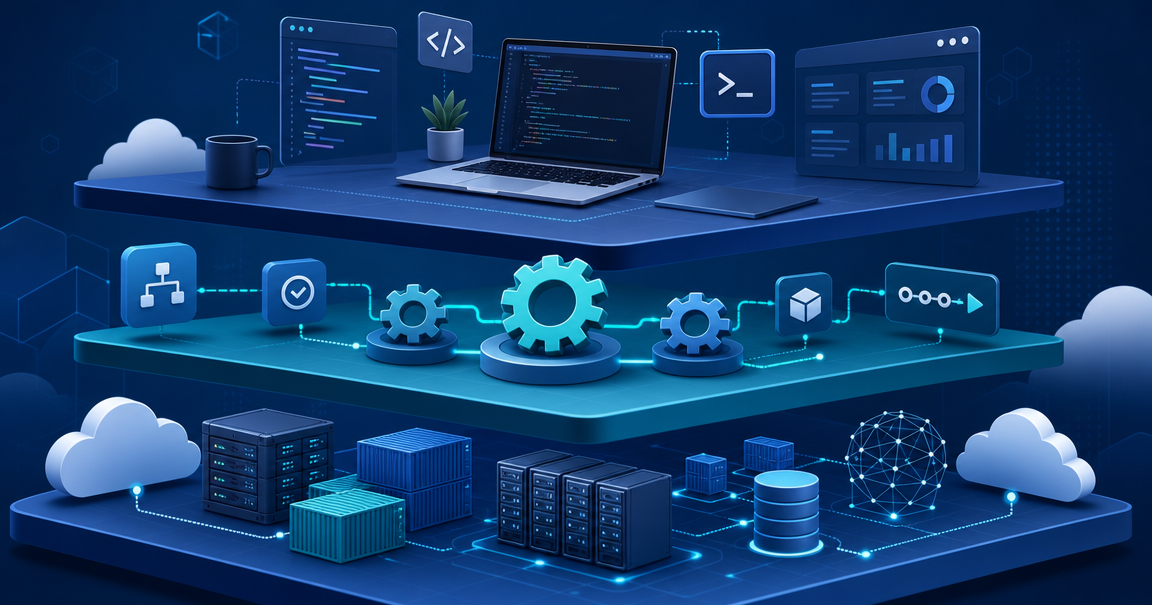
How to Build an Internal Developer Platform: Architecture, Tools, and Lessons Learned
Your developers spend 30% of their time on infrastructure toil — configuring environments, waiting on provisioning tickets, debugging deployment pipelines. An internal developer platform (IDP) eliminates that waste by giving every engineer a self-service layer that abstracts infrastructure complexity while preserving the control they need.
This is the practical guide. Not "what is an IDP" — we covered that in our platform engineering overview. This post walks through the architecture, the tooling decisions, and the real lessons from teams that built IDPs and lived to talk about it.
Why Teams Build Internal Developer Platforms
The pitch is simple: developers should deploy code, not manage infrastructure. But the real trigger is usually pain.
A team of 200 engineers submitting Jira tickets to provision a database. A deployment pipeline that breaks every third release because someone forgot a Terraform variable. Five different ways to deploy the same service because each squad built their own tooling.
An internal developer platform solves this by creating a single, curated layer between your developers and your infrastructure. According to Gartner, over 80% of software engineering organizations now have dedicated platform teams, and the number keeps growing. The reason is straightforward: platform engineering reduces cognitive load while maintaining the flexibility engineers demand.
The benefits of internal developer platforms compound over time. The first month saves provisioning tickets. By month six, your deployment frequency doubles. By year one, onboarding time drops from weeks to days because new engineers follow golden paths instead of tribal knowledge.
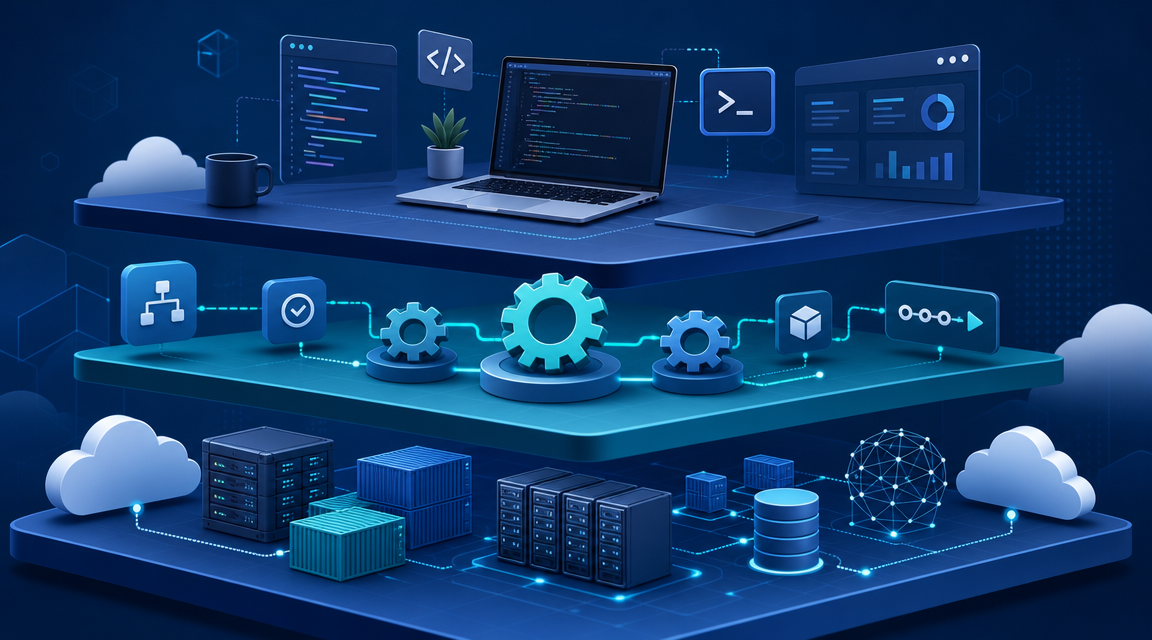
The Five-Layer IDP Architecture
Every successful internal developer platform follows a layered architecture. You do not need all five layers on day one, but understanding the full picture prevents you from building yourself into a corner.
Layer 1: Developer Interface
This is how developers interact with the platform. It can be a portal like Backstage or Port, a CLI, or even just Git-based workflows. The key principle: meet developers where they already work.
A backstage developer portal provides service catalogs, documentation, and self-service actions. But many teams start simpler — a CLI tool that wraps common operations or a set of GitHub Actions templates that handle deployments.
apiVersion: platform.company.io/v1
kind: ServiceRequest
metadata:
  name: payments-api
  team: checkout
spec:
  runtime: node18
  database:
    type: postgres
    size: small
  cache:
    type: redis
  monitoring: true
  alerts:
    - type: latency-p99
      threshold: 200ms
Layer 2: Integration and Orchestration
This layer wires together your CI/CD pipelines, infrastructure provisioning, and security policies. It is the glue that turns a developer's intent into actual infrastructure changes.
Platform engineering tools like Argo CD handle GitOps-based continuous delivery. Crossplane provides infrastructure compositions that abstract cloud provider details. The orchestration layer is where your platform team encodes organizational best practices — security scanning happens automatically, databases get backup policies by default, and monitoring is always on.
Layer 3: Infrastructure Abstraction
Here you hide cloud complexity behind stable, versioned APIs. A developer asks for a database and the platform provisions an RDS instance with encryption, automated backups, connection pooling, and monitoring — all from a ten-line YAML file.
apiVersion: database.platform.io/v1
kind: Database
metadata:
  name: orders-db
spec:
  engine: postgresql
  version: "15"
  size: medium
  # Platform automatically adds:
  # - Encrypted storage
  # - Daily backups (30-day retention)
  # - Connection pooling via PgBouncer
  # - CloudWatch alarms
  # - VPC security group
Layer 4: Security and Governance
Every self-service action passes through policy enforcement. Open Policy Agent or Kyverno validates that resources comply with organizational standards before they are created. This layer is what makes self-service safe — developers move fast because the guardrails are built in, not bolted on.
Layer 5: Observability and Feedback
The platform itself needs monitoring. Track provisioning times, deployment success rates, developer satisfaction scores, and infrastructure costs per team. This data tells you which golden paths work and which need iteration.
Choosing Your IDP Architecture Pattern
The tool landscape for internal developer platforms is crowded. Here is how to think about the decision, based on where your team actually is.
Pattern A: Portal-Centric with Backstage
Backstage is an open-source developer portal framework that Spotify built and donated to the CNCF. As of 2026, it powers internal developer platforms at over 3,400 organizations and serves more than 2 million developers. Its plugin architecture means you build exactly the portal you need.
The catch: Backstage is a framework, not a product. If you have fewer than 50 developers, you will spend more engineering time building and maintaining Backstage than a commercial tool costs. Teams have spent six months building a Backstage instance that Port could have delivered in two weeks.
Pattern B: Managed Portal with Port or Cortex
Port ships a functional developer portal in days, not months. Self-service actions, service catalogs, scorecards, and integrations work out of the box. You configure rather than code.
Pattern C: Platform Orchestrator with Humanitec
Humanitec takes a fundamentally different approach. Instead of building a portal, it standardizes how infrastructure gets provisioned. Developers define what they need in a Score file, and Humanitec resolves those requirements against resource definitions that platform engineers configure.
Pattern D: DIY Composition
Some teams compose their own IDP from Kubernetes, Terraform, Argo CD, and a thin CLI layer. No portal, no commercial tool. Just a well-documented set of golden paths and Git-based workflows.
Building Your IDP: A Phased Approach
Do not try to build the entire platform at once. Every successful internal developer platform started small and expanded based on developer feedback.
Phase 1: Golden Paths (Weeks 1-4)
Start with templates. Create opinionated, pre-built paths for the two or three most common tasks — usually deploy a new service and provision a database. These golden paths encode your organization's best practices.
$ platform create service \
    --name user-auth \
    --template microservice-node \
    --team identity

✓ Repository created: github.com/company/user-auth
✓ CI/CD pipeline configured (GitHub Actions)
✓ Staging environment provisioned
✓ Monitoring dashboards created (Grafana)
✓ PagerDuty alert policies applied
✓ Service registered in catalog
Phase 2: Self-Service Infrastructure (Months 2-3)
Once golden paths prove the concept, add self-service infrastructure provisioning. Use Crossplane or Terraform with policy guardrails so developers can request resources without filing tickets.
Phase 3: Developer Portal (Months 3-6)
Now you have services and infrastructure flowing through the platform. A backstage developer portal ties everything together — service catalog, documentation, health dashboards, and self-service actions in one place.
Phase 4: Platform as Product (Ongoing)
Treat your IDP like a product. Track adoption metrics. Run developer surveys. Deprecate paths nobody uses. Add integrations developers request. The platform team's customers are internal engineers, and those customers have opinions.
Common Mistakes and Hard Lessons
Mistake 1: Building for Every Edge Case
Your first internal developer platform should cover 80% of use cases. The remaining 20% can use existing manual processes until you learn enough to automate them well. Teams that try to handle every edge case before launching never launch.
Mistake 2: Ignoring Developer Experience
A platform nobody uses is worse than no platform at all. If your golden paths are harder than the old way, developers will route around them. Test your abstractions with real developers before declaring them ready.
Mistake 3: No Escape Hatch
Developers need the ability to break glass when the platform cannot handle a specific case. Platforms that are too restrictive breed shadow infrastructure. The goal is to make the right thing the easy thing, not the only thing.
Mistake 4: Treating the Platform as Infrastructure
The platform is not another infrastructure project — it is a product. It needs product management, user research, roadmaps, and feedback loops. The teams that succeed assign a product owner to their IDP.
Real Architecture: What a Production IDP Looks Like
Here is a concrete IDP architecture for a mid-size engineering organization of 50 to 200 engineers using open-source platform engineering tools.
Developer Experience Layer
├── Backstage (service catalog + docs + templates)
├── Custom CLI (wraps common platform operations)
└── GitHub (PRs trigger platform workflows)

Orchestration Layer
├── Argo CD (GitOps continuous delivery)
├── Argo Workflows (complex provisioning pipelines)
└── Crossplane (infrastructure compositions)

Infrastructure Layer
├── Kubernetes (workload runtime)
├── Terraform (non-K8s cloud resources)
├── Vault (secrets management)
└── AWS / GCP (cloud providers)

Policy Layer
├── OPA / Gatekeeper (admission control)
├── Checkov (IaC scanning)
└── Trivy (container scanning)

Observability Layer
├── Prometheus + Grafana (metrics)
├── OpenTelemetry (tracing)
└── Platform health dashboard
This is not aspirational — this is what production internal developer platforms at companies like Spotify, Zalando, and Mercedes-Benz actually look like. The specific tools differ, but the layered architecture is consistent.
How the IDP Connects to Platform Engineering
If you are exploring this space, you have likely encountered the broader platform engineering vs DevOps conversation. The internal developer platform is the tangible output of platform engineering — it is the product that a platform team builds and maintains.
Platform engineering is the discipline. The IDP is the artifact. You cannot have one without the other, but confusing them leads to platform teams that write Terraform all day instead of building the self-service layer their developers actually need.
Measuring IDP Success
Frequently Asked Questions
What is an internal developer platform?
An internal developer platform is a self-service layer that sits between developers and infrastructure. It abstracts the complexity of provisioning, deploying, and managing services so developers can ship code without becoming infrastructure experts. The platform team builds and maintains it as an internal product.
How much does it cost to build an internal developer platform?
Costs vary dramatically based on approach. A DIY Backstage-based IDP for a 100-person engineering org typically requires 3 to 5 full-time platform engineers and 6 to 12 months to reach maturity. Managed solutions like Port or Humanitec reduce the team size but add licensing costs of 20 to 50 dollars per developer per month.
Should I use Backstage or a commercial IDP tool?
Use Backstage if you have 100+ engineers, a dedicated platform team, and need deep customization. Use a managed tool like Port if you have fewer than 100 engineers and want to ship a working portal in weeks, not months. Many teams start with a managed tool and migrate to Backstage once they outgrow it.
How long does it take to build an internal developer platform?
A minimal viable platform with golden paths and basic self-service takes 4 to 8 weeks. A full-featured IDP with a portal, policy enforcement, and comprehensive observability takes 6 to 12 months. The key is to ship incrementally — deploy the first golden path in week two, not month six.
What is the difference between an internal developer platform and a developer portal?
A developer portal like Backstage is the frontend — the UI where developers discover services, read documentation, and trigger self-service actions. The internal developer platform is the entire system, including the portal, the orchestration layer, infrastructure abstractions, policy enforcement, and observability. The portal is one component of the platform, not the platform itself.
For more system design and architecture content, explore the Levelop blog or start building your engineering skills with Levelop's structured learning paths.