
The Best Platform Engineering Tools in 2026: Backstage, Port, and Humanitec Compared
Platform engineering tools have moved from a niche curiosity to a core part of how serious engineering organizations ship software. If you are evaluating what to adopt in 2026, the market has consolidated around a few clear approaches, and the decision is less about features on a checklist and more about how much you want to build versus buy.
This guide compares the three platform engineering tools that come up in almost every evaluation: Backstage, Port, and Humanitec. It covers what each one actually does, where each fits, and how to choose without locking yourself into a year of migration pain. If you are still deciding whether platform engineering is worth the investment, start with our pillar guide on what platform engineering is and why it is the biggest shift since DevOps, then come back here to pick your tooling.
What Platform Engineering Tools Actually Do
Before comparing products, it helps to be precise about the job. Platform engineering tools exist to build an Internal Developer Platform (IDP): a self-service layer that lets application developers provision environments, deploy services, and find information without filing a ticket and waiting on a central ops team.
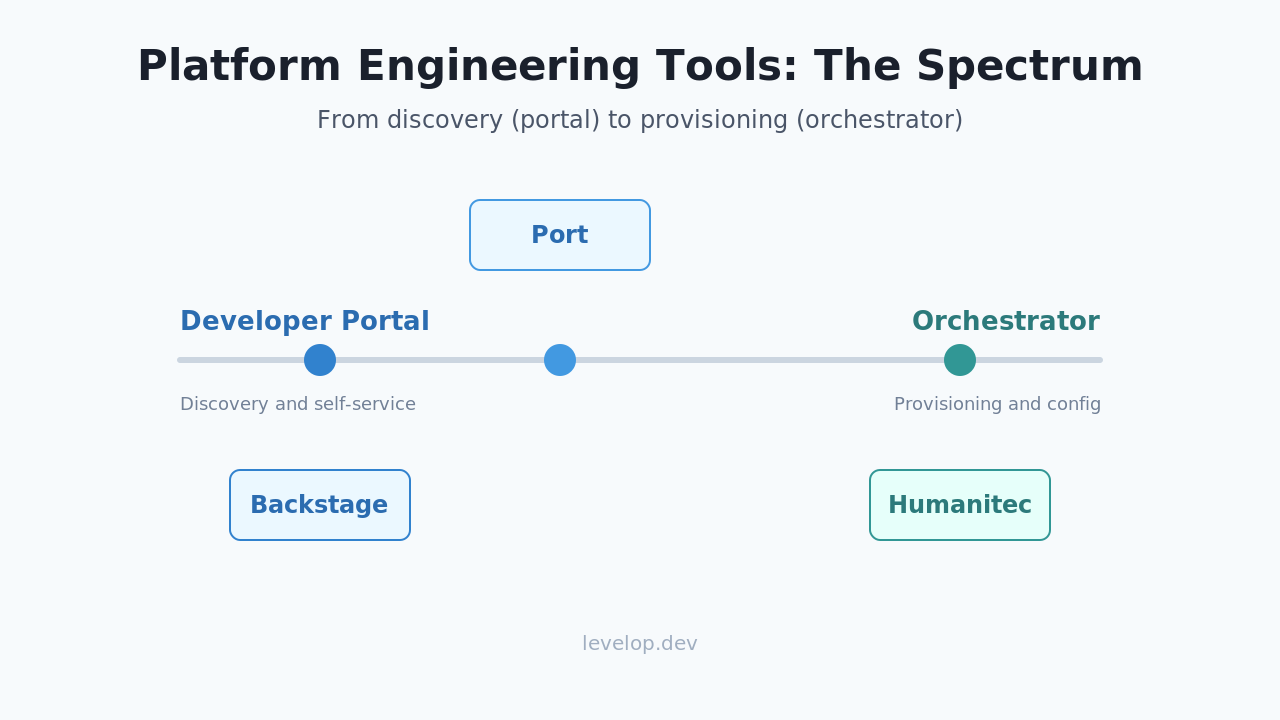
Most platform engineering tools cluster into two categories that people constantly confuse. The first is the developer portal, the interface layer where engineers discover services, read documentation, and trigger actions. The second is the orchestration layer, the engine that actually provisions infrastructure and wires deployments together. Getting this distinction right is half the battle, and we break it down fully in internal developer portal vs internal developer platform.
The three tools in this comparison sit at different points on that spectrum. Backstage is primarily a portal. Humanitec is primarily an orchestrator. Port tries to be a flexible portal with enough automation to feel like both. Knowing that upfront explains most of the trade-offs below.
Backstage: The Open-Source Standard
Backstage was open-sourced by Spotify and later donated to the Cloud Native Computing Foundation, where it graduated into one of the most widely adopted developer portal projects. If you have heard exactly one platform engineering tool named in a conference talk, it was probably this one.
What Backstage does well
Backstage gives you a software catalog, a plugin architecture, and templates for scaffolding new services. The software catalog is the heart of it: a single place where every service, its owner, its docs, and its dependencies are registered. The plugin ecosystem is large, with integrations for CI systems, cloud providers, incident tooling, and cost dashboards.
Because it is open source and self-hosted, Backstage gives you complete control. You own the data model, you own the UI, and there is no per-seat license. For organizations with a strong internal platform team and specific requirements, this control is the entire point.
A minimal catalog entry in Backstage looks like this:
apiVersion: backstage.io/v1alpha1
kind: Component
metadata:
  name: payments-service
  description: Handles checkout and refunds
spec:
  type: service
  lifecycle: production
  owner: team-payments
  system: checkout
Where Backstage gets hard
The catch is well known. Backstage is a framework, not a finished product. You do not install it and get a working platform. You assemble it with TypeScript and React, maintain the plugins, and run the infrastructure. Teams routinely underestimate this and end up with a platform team whose full-time job is keeping Backstage alive. For a deeper look at how self-hosted portals fit into a full platform build, see our guide on how to build an internal developer platform.
Port: The Flexible SaaS Portal
Port takes the developer portal idea and delivers it as a managed SaaS product with a highly configurable data model. Instead of shipping a fixed catalog schema, Port lets you define your own entities, called blueprints, and the relationships between them.
What Port does well
The blueprint model is Port's signature. You describe your world (services, environments, deployments, cloud resources) and Port builds a graph and a UI around it. Because it is hosted, you skip the operational burden that sinks so many Backstage projects. You get a working portal in days, not quarters.
Port also leans hard into self-service actions and scorecards. Scorecards let you encode standards, for example every production service must have an on-call owner and a passing security scan, and then measure every service against them. This makes Port attractive to organizations that care about driving standards, not just cataloging what exists.
A Port blueprint definition is declarative and lives as JSON:
{
  "identifier": "service",
  "title": "Service",
  "properties": {
    "language": { "type": "string", "title": "Language" },
    "tier": { "type": "string", "enum": ["1", "2", "3"] }
  },
  "relations": {
    "environment": { "target": "environment", "many": true }
  }
}
Where Port has limits
Port is a portal and automation layer, not a full infrastructure orchestrator. It triggers your existing pipelines and tools rather than replacing them. That is often exactly what you want, but if you were hoping for a single product that also provisions and manages infrastructure end to end, Port expects you to bring that engine. It is also a commercial SaaS, so pricing and data residency matter for your evaluation.
Humanitec: The Orchestration Engine
Humanitec approaches the problem from the opposite end. Rather than starting with a portal, it starts with a Platform Orchestrator: the engine that reads a workload specification and generates the correct configuration for each environment.
What Humanitec does well
Humanitec's core idea is dynamic configuration management. Developers declare what a workload needs (a database, a queue, some environment variables) in an abstract spec. The orchestrator resolves that spec into concrete resources for dev, staging, or production using rules the platform team defines. This kills the copy-paste-per-environment problem that plagues raw Kubernetes and Terraform setups.
Humanitec aligns closely with the open Score specification, which describes a workload independently of any environment:
apiVersion: score.dev/v1b1
metadata:
  name: payments
containers:
  main:
    image: registry.example.com/payments:latest
resources:
  db:
    type: postgres
The platform team maps the postgres resource type to a real managed database in production and a lightweight container in development. Developers never touch that mapping.
Where Humanitec fits and does not
Humanitec shines when your pain is configuration sprawl and inconsistent environments. It is less about being a pretty catalog and more about being the automation backbone. Many teams pair a Humanitec-style orchestrator with a portal like Backstage or Port, using the portal for discovery and the orchestrator for provisioning. If your main problem is that developers cannot find anything, an orchestrator alone will not solve it.
Backstage vs Port vs Humanitec: A Direct Comparison
Here is the short version of how these platform engineering tools line up.
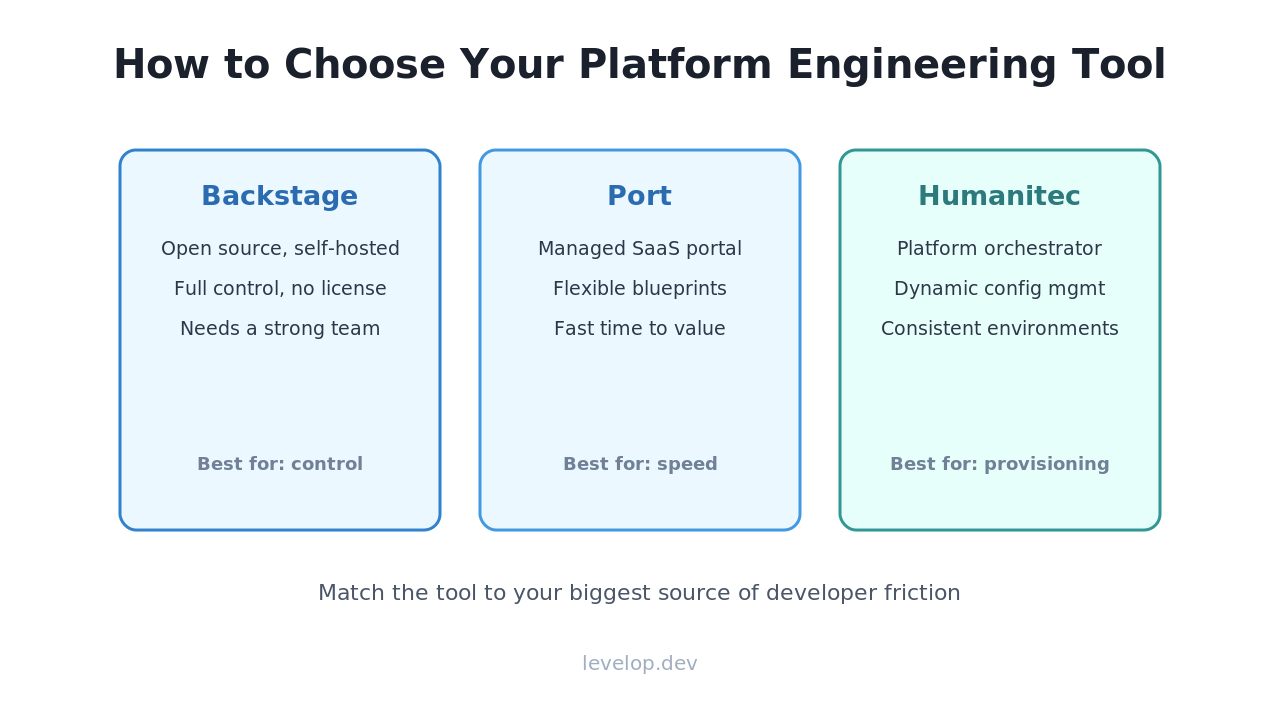
Backstage is the best fit when you have a capable platform team, want full control and no license cost, and are willing to treat the platform as a real engineering product. It is a portal first, and you build the automation yourself.
Port is the best fit when you want a portal quickly, value a flexible data model and built-in scorecards, and are comfortable with managed SaaS. It reduces operational load dramatically but expects you to bring your own provisioning engine.
Humanitec is the best fit when your core pain is environment configuration and provisioning consistency rather than discovery. It is an orchestration engine that often complements a portal rather than replacing it.
A useful mental model: Backstage and Port answer where everything is and how you ask for it, while Humanitec answers how what you asked for actually gets built correctly in every environment. Many mature platforms end up using one from each category. This mirrors a broader pattern we cover in platform engineering vs DevOps: the goal is reducing developer cognitive load, and the tools are just means to that end.
How to Choose Your Platform Engineering Tools
Skip the feature matrix as your first step. Instead, name your single biggest source of developer friction. If nobody can find services or ownership, start with a portal. If every environment is configured slightly differently and things break on promotion, start with an orchestrator. If you file tickets for everything, you need self-service actions, which both Port and a well-built Backstage provide.
Then be honest about your platform team's capacity. Backstage rewards teams that can staff it. Port and Humanitec trade some control for a faster start and lower operational load. The most expensive mistake is adopting the tool with the best demo and discovering six months later that nobody has time to run it.
Frequently asked questions
What are platform engineering tools?
Platform engineering tools are the software used to build an Internal Developer Platform, a self-service layer that lets developers provision environments, deploy services, and discover information without depending on a central operations team for every request. They typically split into developer portals for discovery and orchestrators for provisioning.
Is Backstage better than Port?
Neither is universally better. Backstage is open source and self-hosted, giving you full control at the cost of significant engineering effort to build and maintain. Port is managed SaaS with a flexible data model and faster time to value, but less low-level control. Teams with a strong platform team often prefer Backstage, while teams wanting speed prefer Port.
Do I need both a portal and an orchestrator?
Not always, but many mature platforms use both. A portal like Backstage or Port handles discovery and self-service requests, while an orchestrator like Humanitec handles turning those requests into correctly configured infrastructure across environments. Start with whichever addresses your biggest pain, then add the other if needed.
Are platform engineering tools only for large companies?
No. Smaller teams benefit from self-service and consistent environments too, and managed options like Port lower the barrier to entry. The main question is whether your developer friction justifies the investment, not your headcount.
How much do platform engineering tools cost in 2026?
Backstage has no license cost but carries real hosting and engineering maintenance costs. Port and Humanitec are commercial products with pricing that generally scales with usage or seats. When comparing, include the total cost of ownership, especially the engineering time to run self-hosted tools, not just the sticker price.
For more on building a developer experience that actually moves your team faster, explore the Levelop blog and our full platform engineering pillar guide.