Spec Kit vs Kiro vs OpenSpec: Spec-Driven Development Tools Compared
If you have spent any time with spec-driven development, you already know the pitch: stop letting an AI agent guess what you want, write the intent down first, and let the agent build against a spec it cannot drift away from. The methodology is settled enough now that the interesting question is no longer "should I try this," it is "which tool should I actually use."
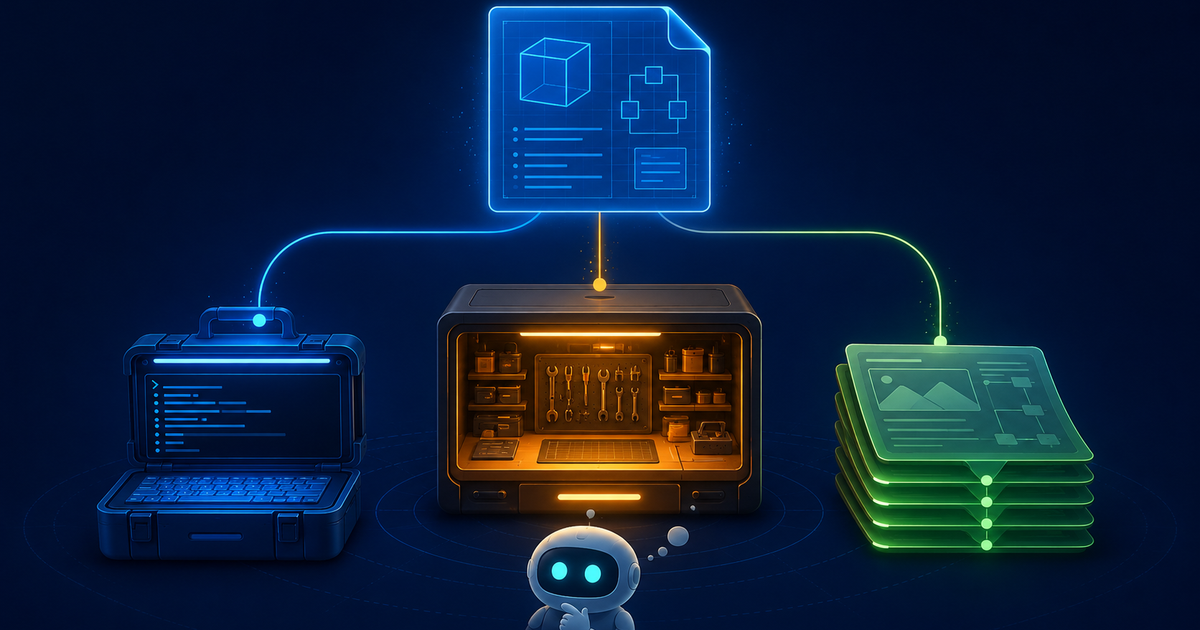
Three names come up again and again when developers compare spec driven development tools in 2026: GitHub Spec Kit, AWS Kiro, and OpenSpec. They sit at three different points on the spectrum. One is a portable open-source CLI, one is a full agentic IDE, and one is a lightweight change-management framework built for messy existing codebases. They are not interchangeable, and picking the wrong one means fighting your tool instead of shipping.
This is a head-to-head comparison built on how each tool actually structures specs, runs its workflow, and fits a real team. By the end you will know which one matches your stack, your codebase, and the way you like to work.
The three tools at a glance
Before the deep dive, here is the shape of each contender.
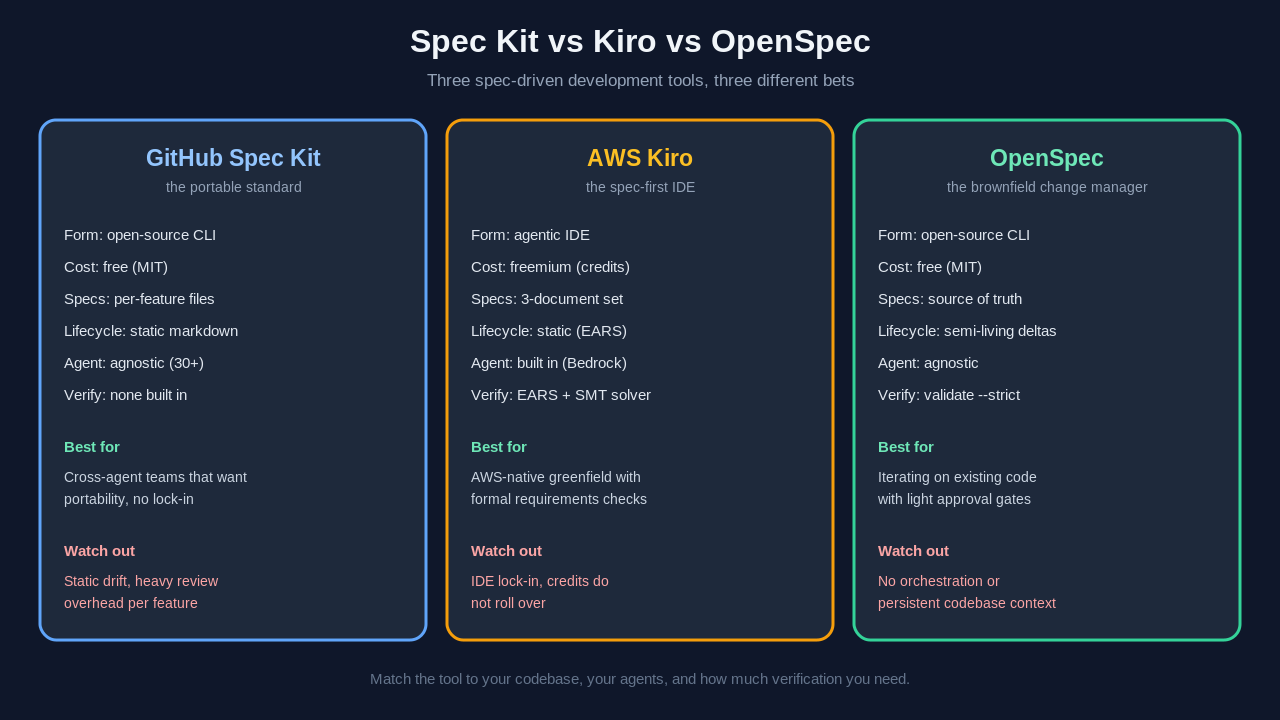
                 Spec Kit            Kiro               OpenSpec
Form factor      Open-source CLI     Agentic IDE        Open-source CLI
License / cost   Free (MIT)          Freemium (credits) Free (MIT)
Spec style       Per-feature files   3-document set     Unified source of truth
Spec lifecycle   Static markdown     Static (EARS)      Semi-living (deltas)
AI agent         Agent-agnostic      Built-in (Bedrock) Agent-agnostic
Verification     None built in       EARS + SMT solver  validate --strict
Sweet spot       Cross-agent teams   AWS greenfield     Brownfield iteration
All three solve the same core problem, which is the drift you get when an agent reads a vague prompt and runs off in a direction you never intended. That is the same failure mode we covered in Spec-Driven Development vs Vibe Coding. Where they diverge is in philosophy: how heavy the process is, who controls the agent, and whether the spec is a document the agent reads once or an asset it keeps coming back to.
GitHub Spec Kit: the portable standard
GitHub Spec Kit is an open-source toolkit released under the MIT license, and it has become the most-starred project in this category. Its whole design goal is portability. Spec Kit does not care which AI coding assistant you use. It works with GitHub Copilot, Claude Code, Gemini CLI, Cursor, Windsurf, Amazon Q, and a long list of others, which makes it the natural pick for a team that has not standardized on a single agent.
How the workflow runs
You install it as a CLI with uv tool install specify-cli, and it organizes a project around a .speckit directory. From there the work happens through slash commands that map to clear phases:
/speckit.constitution   Define project principles and durable constraints
/speckit.specify        Document what you are building and why
/speckit.plan           Generate the implementation plan
/speckit.tasks          Break the plan into discrete work items
/speckit.implement      Execute the tasks against the spec
The constitution step is the part people underrate. It captures the persistent rules of your project, the conventions and constraints that should hold across every feature, so the agent stops re-litigating the same decisions on each task. After that, each feature gets its own set of specification files. That fragmentation is deliberate. It lets you reason about how features interact and spot emergent behavior before you ship, which is genuinely useful on a large multi-feature system.
Where it shines and where it strains
The cost shows up in two places. First, the specs are static markdown. Once the agent starts implementing, the spec does not update itself, so on a longer task the code and the spec can drift apart, which is the exact problem the methodology was supposed to fix. Second, there is real overhead. In hands-on testing, adding a single feature to an existing app ran around 90 minutes from prompt to a complete spec, plan, and task breakdown, plus another half hour of agent execution, and the heaviest cost was reviewing the large volume of markdown and code Spec Kit produces in one push.
If you want a full walkthrough of installing and running it, we have a dedicated GitHub Spec Kit hands-on guide that goes command by command.
AWS Kiro: the spec-first IDE
Kiro takes the opposite bet. Instead of a CLI you bolt onto whatever editor you already use, Amazon built an entire agentic IDE around spec-driven development. It first appeared in preview in mid-2025 as the successor to Amazon Q Developer and became broadly available in 2026. Kiro runs on Amazon Bedrock, is powered by Claude under the hood, and integrates natively with AWS services like Lambda, CDK, CloudFormation, and CodeCatalyst.
EARS notation and the three-document spec
Kiro's signature is EARS, short for Easy Approach to Requirements Syntax. Rather than free-form prose, you define behavior with a strict template:
WHEN [trigger or condition] THE SYSTEM SHALL [required behavior]That constraint forces requirements to be testable. Instead of "the app should handle bad logins gracefully," you write something a machine can check. Kiro then generates a three-document specification set for each feature:
requirements.md   User stories written in EARS notation
design.md         Technical architecture and approach
tasks.md          Discrete, ordered implementation steps
The traceability this gives you is the selling point. You can follow a single requirement from the EARS statement, through the design decision, down to the task that implements it.
Verification and automation
Two features set Kiro apart from the open-source pair. Its 2026 Requirements Analysis uses formal logic and SMT solvers to catch contradictions in your requirements before any code is generated, so conflicting rules get flagged at spec time rather than discovered in production. And Agent Hooks let you write event-driven automations in natural language that fire when files are saved, created, or deleted, handling repetitive chores like formatting, logging, documentation, and git commits.
Kiro is freemium. The free tier gives you 50 credits a month, Pro is $20 a month, Pro+ is $40, Power is $200, and overage runs about $0.04 per credit. One catch worth planning around: spec-mode requests consume meaningfully more credits than basic chat, and unused credits do not roll over.
OpenSpec: the brownfield change manager
OpenSpec, built by Fission-AI, is the lightest of the three and the most actively maintained open-source option in the category, with tens of thousands of GitHub stars by mid-2026. It is also the only one designed brownfield-first, meaning it assumes you are changing an existing system rather than starting from a blank repo.
A strict three-phase state machine
OpenSpec enforces a proposal-first state machine before any code gets written:
Propose   Write proposal.md, tasks.md, and delta specs for the change
Apply     Implement the approved change
Archive   Merge the delta into the source-of-truth spec
The directory layout makes the philosophy obvious. An openspec/ folder separates specs/, which holds the current state and acts as the single source of truth, from changes/, which holds active proposals. Changes are expressed as deltas that mark each section as ADDED, MODIFIED, or REMOVED relative to what already exists. When the change ships, the archive step folds the delta into the source of truth, so the canonical spec always reflects the live system.
This is why some people describe OpenSpec as "semi-living." The proposals themselves are static once written, but the unified source-of-truth document is continuously updated as changes are archived, which keeps validation feasible in a way that fragmented per-feature files struggle with.
Guardrails without the ceremony
OpenSpec ships a real validation gate. Running openspec validate --strict checks proposals for completeness, and in testing it caught a missing GIVEN/WHEN/THEN scenario that would have left a hole in acceptance coverage. The approval gates mean code generation does not start until a human has signed off on the proposal.
openspec validate --strict # blocks proposals with incomplete scenariosWhat you give up is orchestration. OpenSpec has no multi-agent coordination and no persistent codebase context beyond what your chosen agent already provides. For a team making focused, disciplined, incremental changes to a codebase that already exists, that minimalism is the point.
How to choose: a decision framework
The honest answer is that the "best" tool depends on three questions about your situation, not on which project has the most stars. Work through them in order.
1. What does your codebase look like?
If you are starting fresh on a greenfield project with several features that interact, Spec Kit's per-feature analysis earns its overhead. If you are bolting changes onto an existing, possibly legacy system, OpenSpec's delta-based, brownfield-first design is built for exactly that. If you are greenfield and already deep in AWS, Kiro's structured requirements and native service integration fit cleanly.
2. Are you locked to one agent or many?
Teams that use a mix of Copilot, Claude Code, Cursor, and others should lean toward the agent-agnostic open-source tools, Spec Kit or OpenSpec, because both treat the agent as swappable. If you are happy to commit to a single integrated environment and want the agent, IDE, and spec engine to be one product, Kiro removes the assembly work. Choosing an agent is its own decision, and our AI coding agents guide and Claude Code vs Cursor comparison cover that side.
3. How much does formal verification matter?
If catching contradictory requirements before code generation is worth real money to you, for example on compliance-heavy or safety-adjacent work, Kiro's EARS plus SMT-solver analysis is genuinely differentiated and the other two cannot match it. If you mainly want a lightweight gate that stops incomplete specs from sliding through, OpenSpec's validate --strict does the job. Spec Kit leaves verification to you and your agent.
A note on the rest of the field
Spec Kit, Kiro, and OpenSpec are the three most-compared names, but they are not the entire ecosystem. BMAD-METHOD orchestrates many role-based agents for documentation-heavy enterprise planning, and platform tools like Augment Cosmos push toward living, organization-wide specs that stay synchronized across services, as captured in independent spec-driven tool roundups. Those aim at a different scale than a single developer or a small team usually needs. If your problem is "my agent keeps drifting on the feature I am building right now," one of the three tools in this comparison is almost certainly the right starting point. Spec-driven development is also closely tied to context engineering, since a good spec is one of the highest-signal pieces of context you can hand an agent.
Frequently asked questions
What is the difference between Spec Kit and Kiro?
Spec Kit is an open-source, agent-agnostic CLI you add to your existing setup, and it is free under the MIT license. Kiro is a full freemium IDE from Amazon, built around EARS-notation specs and powered by Claude on Amazon Bedrock, with native AWS integration. Spec Kit gives you portability across many AI agents, while Kiro gives you an integrated environment plus formal requirements verification at the cost of moving into its IDE.
Is OpenSpec better than Spec Kit for existing projects?
For most brownfield work, yes. OpenSpec is designed brownfield-first: it expresses changes as deltas marked ADDED, MODIFIED, or REMOVED against a source-of-truth spec, which maps naturally to modifying a system that already exists. Spec Kit's per-feature, greenfield-leaning structure can feel heavier when all you want is a disciplined, incremental change to current functionality.
Are these spec-driven development tools free?
GitHub Spec Kit and OpenSpec are both free and open-source under the MIT license, so your only cost is whatever your chosen AI agent charges for API or subscription use. Kiro is freemium: a free tier with 50 credits a month, then paid plans starting at $20 a month, with spec-mode requests consuming more credits than basic chat and credits that do not roll over.
Do spec-driven tools prevent AI agents from drifting off the spec?
They reduce drift but do not fully eliminate it. Spec Kit and Kiro produce static specs, so once implementation starts the document can fall out of sync with the code on longer tasks. OpenSpec is semi-living because archived changes update the source of truth, which keeps the canonical spec current. The biggest single safeguard across all three is a human review gate before code generation, which OpenSpec and Spec Kit both support and Kiro structures through its three-document flow.
Which spec-driven development tool should a small team start with?
If your team uses several different AI assistants, start with GitHub Spec Kit for its portability. If you mostly maintain and extend an existing codebase, start with OpenSpec for its lightweight, brownfield-friendly change flow. Reserve Kiro for when you are building new AWS-native projects and want an integrated IDE with formal requirements analysis rather than a tool you assemble yourself.
Closing thought
The spec-driven development tools worth your time in 2026 are not competing to be the single best tool, they are each optimized for a different reality. Spec Kit bets on portability, Kiro bets on an integrated, formally verified environment, and OpenSpec bets on disciplined change management for code that already exists. Figure out which reality is yours, the codebase you have, the agents you use, and how much verification you need, and the choice mostly makes itself.
If you are still deciding whether to adopt this way of working at all, start with our complete guide to spec-driven development, and browse more engineering deep dives on the Levelop blog.